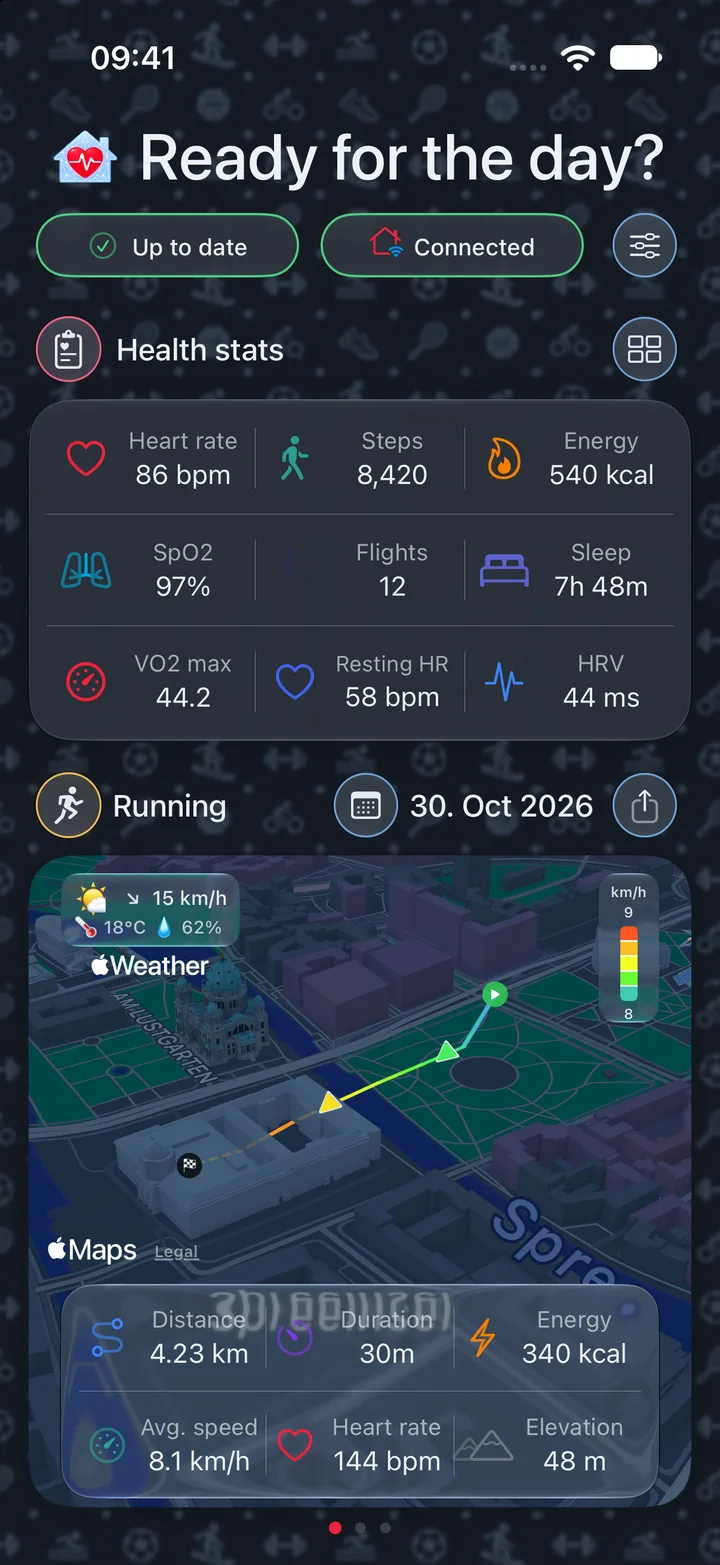
A shared icon style brings subtle fills and clear, colourful outlines to the dashboard, Settings, setup and workout replay.
Compact status popovers make connection and upload details easier to read. Clearer outlines also respond to Increase Contrast.
Improved
Less friction. More flow.
Settings is organised into Connections, Health & data, and Preferences, with compact grouped rows and clearer connection feedback.
Open Export directly from Settings. Setup screens and replay controls now share the same visual language, and workout icons reflect the actual activity.
Refined
The details matter
Technical log details expand inline, keeping repeated events compact while retaining filters and CSV sharing.
Further improvements to workout-upload recovery and sleep time-in-bed handling make recorded data and connection problems easier to understand.
Planned for October 30. App Store availability follows release and may vary by region.
Refreshed themes, richer workout replay and more control over the health data you choose to explore and share.
New look
A dashboard that feels like you
Redesigned light and dark themes, patterned backgrounds and clearer dashboard controls.
Recorded sleep stages with durations and percentages when available, plus easier access to Dietary Energy in health-data selection.
Workouts
Revisit the effort
Improved workout replay, satellite-map readability and weather overlays.
Reorganised Settings and setup, including Home Assistant sign-in and Digital Health configuration for eligible users.
Reliability
Clearer feedback. Smoother sync.
Improved background upload handling for HealthKit, eligible Digital Health readings and InfluxDB, with additional sync and stability improvements.
More readable technical logs with timestamped CSV export and system sharing, clearer connection-test feedback and more reliable status-badge outlines.
Background uploads depend on iOS scheduling and data availability. Digital Health requires an eligible EU device and Apple Account, iOS 26.4 or later, and separate permission.